에러 문구
JNLP agent port is disabled and agents cannot connect this way. Go to security configuration screen and change it.
Go to security configuration screen and change it.를 눌러서 보안설정으로가서 중간에 Agents가 Disable로 돼있는걸 Random으로 바꿔준다.

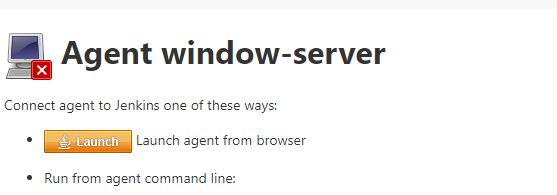
이제 Launch가 보인다

'DevOps' 카테고리의 다른 글
| [az-900] Azure Fundamentals 불합격 할뻔한 후기(examtopics만 공부하면 안되는 이유), 덤프 추천, 시험보기전준비사항 (0) | 2022.02.20 |
|---|---|
| [Exam AZ-900] 할인적용 중 오류가 발생할 때 해결법 (0) | 2022.02.07 |
| [MSsql] Azure SQL db timezone 시간이 UTC로 나올때 해결 (0) | 2021.12.09 |
| [Jenkins] npm ERR! code EBADPLATFORM 해결 (0) | 2021.08.11 |
| [Jenkins] Ubuntu에 Jenkins 설치하기 (Gitlab연동, pipeline, window client ssh) (0) | 2021.07.06 |